Overview
This case study explores the design of a music app developed entirely in Figma, aimed at providing users with an exceptional music discovery and listening experience. The app features a clean interface, seamless navigation, and personalized functionality tailored to user needs.
My Role
I was responsible for the entire design process, including defining the user flow, creating wireframes, building high-fidelity prototypes, and delivering the final UI/UX design.
Services
UX Design, UI Design, Information design
Started date
October 2024
Tools used



Problem Statement
Many existing music apps face challenges such as cluttered interfaces, inefficient navigation, and limited personalization. Users often struggle to discover new music or efficiently manage their playlists. This project sought to address these pain points by designing an intuitive, user-centric music app.
Usability Testing
Conducted usability testing with a group of 20 participants:
Feedback highlighted the app’s intuitive design and smooth navigation.
Users appreciated the simplicity of creating and managing playlists.
Suggestions included enhancing the search functionality with more filters.
Objectives
-Improve Usability: Design a simple yet engaging interface to enhance user navigation.
-Enable Personalization: Incorporate features like intelligent recommendations and customizable playlists.
-Optimize Functionality: Ensure all core music app functionalities are accessible and intuitive.
Challenges
1.Balancing Simplicity and Functionality
Ensured the app’s features were robust without overwhelming users with options.
2. Addressing User Feedback
Incorporated user suggestions during testing to refine the design further.
3. Accessibility
Designed with accessibility in mind, ensuring compatibility with screen readers and other assistive technologies.
Outcomes
-The final design was praised for its simplicity, personalization, and seamless functionality.
-Usability tests revealed a 95% satisfaction rate among participants.
1.Wireframing:
Created low-fidelity wireframes to outline the app’s core structure and user flow.
-Focused on key screens, including:
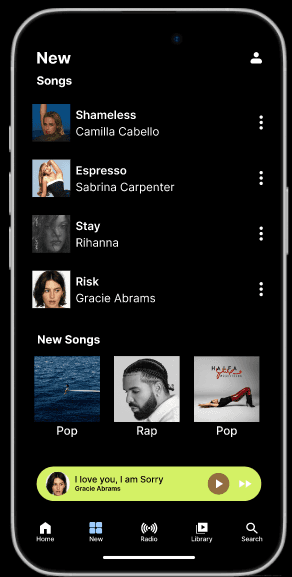
Home Page: Featured a dynamic layout for trending music and recommendations.
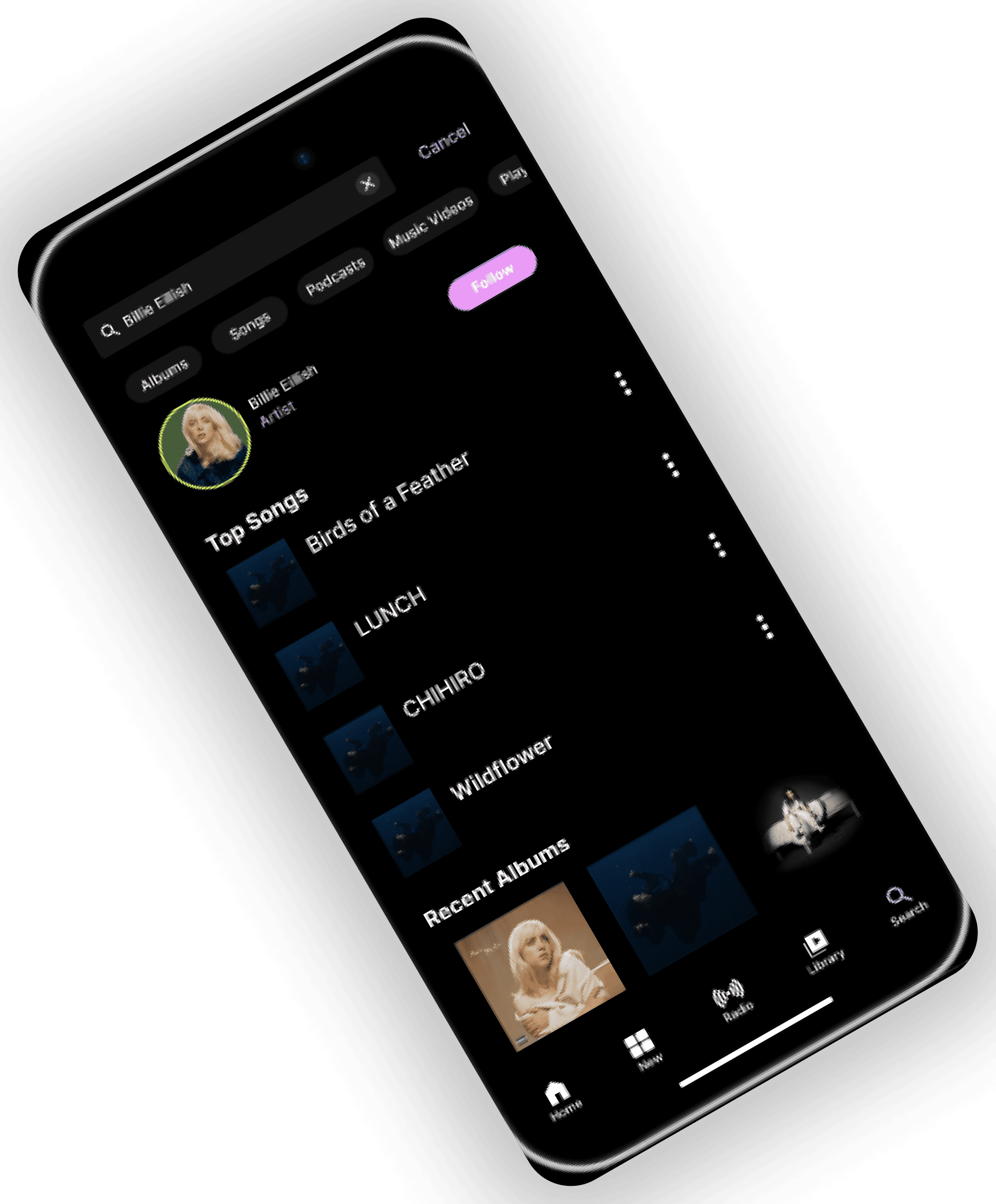
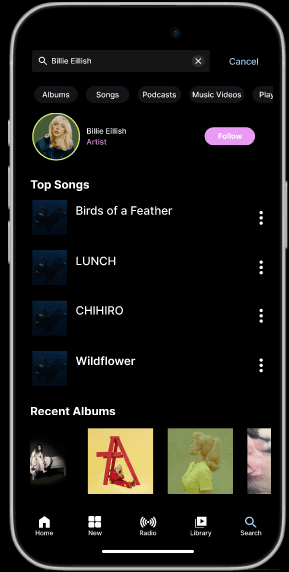
Search Page: Included a robust search bar and filter options for genre, mood, and artist.
Playlist Management: Designed intuitive options for creating and editing playlists.
Music Player: Included controls for playback, queue management, and lyrics display.
Iterative feedback from stakeholders refined the wireframes to ensure logical navigation.
Prototyping
Built interactive prototypes in Figma to simulate user interactions.
Prototypes included:
-Swipe-based navigation.
-Dynamic playlist creation and editing.
-Real-time transitions between screens to emulate the app experience.
3.UI Design
Developed high-fidelity mockups using Figma, emphasizing:
-A consistent color scheme to enhance readability.
-Clear, easy-to-read typography.
-A balance between aesthetics and functionality.
-Created custom icons to improve navigation intuitiveness.
-Designed a responsive layout to ensure compatibility across various screen sizes.
2.User Flows:
Designed detailed user flows to map each interaction within the app:
-Discovering Music: Steps to explore curated playlists, new releases, and user-specific recommendations.
-Creating Playlists: Simplified the process of adding songs and organizing them.
-Offline Listening: Enabled easy access to downloaded tracks.
Design Process
Research
1. User Research
Conducted interviews and surveys with potential users to understand their needs and preferences.
Key insights included:
A desire for a minimal and straightforward interface.
Frustration with poorly organized music libraries.
Interest in curated playlists and accurate recommendations.
2. Competitor Analysis
Analyzed popular music apps (Spotify, Apple Music, Deezer) to identify their strengths and weaknesses.
Observed common issues such as:
Overloaded interfaces with unnecessary elements.
Lack of seamless playlist creation and sharing options.
Limited offline functionality.
3. Pain Points Identified
Difficulty navigating complex menus.
Overwhelming information on home screens.
Limited personalization options.